Databricks Power Tools: Enhance Your Databricks Experience
Databricks Power Tools is a Chrome extension developed by Kees C. Bakker that adds powerful features to enhance your experience with Databricks. This free add-on is specifically designed for Databricks Cloud and Azure Databricks.
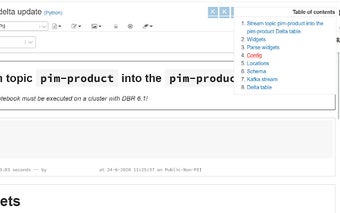
One of the standout features of Databricks Power Tools is the addition of a Table of Contents. This allows you to easily navigate through large notebooks, making it much more efficient to find and access specific sections of your code. The Table of Contents is automatically generated and includes the first header (h1-h9) of each cell.
In addition to the Table of Contents, Databricks Power Tools also provides a custom stylesheet. This allows you to personalize the appearance of your Databricks environment, making it more visually appealing and tailored to your preferences.
With the latest version of Databricks Power Tools, several improvements have been made, including better indentation of the Table of Contents and support for Databricks on Azure. The extension also supports scrolling on hover of the Table of Contents and the ability to disable it if desired.
Overall, Databricks Power Tools is a valuable extension for anyone using Databricks. It enhances the functionality of the platform and provides a more user-friendly experience for navigating and customizing your notebooks.